What is doomscrolling?
Doomscrolling is when you keep scrolling an endless feed long after it stops being useful or fun. The word first described binging on bad news, but today most doomscrolling happens in short-form video: Instagram Reels, YouTube Shorts and TikTok.
It rarely feels like a decision. You unlock your phone to check one thing, a video starts playing, and twenty minutes disappear. That automatic, can't-stop quality is what separates doomscrolling from simply enjoying some videos.
Why short-form video is so hard to stop
It isn't a lack of willpower. Short-form feeds are designed to remove every natural stopping point:
- Unpredictable rewards. Most videos are forgettable, but every so often one is great. Not knowing when the next good one will come is the same pull that keeps people at a slot machine.
- No end.There is no last page, no episode ending, and nothing that tells you you're done.
- Autoplay and tiny videos.Each video is so short that "one more" always feels harmless.
- A feed that learns you. The algorithm gets better at holding your attention the more you use it.
That's why the fixes that work add back the stopping points the feed took away: a visible count, a clear limit, and a block you can't swipe past.
Signs you're stuck in the loop
- You open Reels, Shorts or TikTok without deciding to, often right after unlocking your phone.
- "Just one more video" regularly turns into 30 minutes or more.
- You can't remember most of what you watched a few minutes later.
- You scroll late at night even though you want to sleep.
- Your attention span for longer videos, books or conversations feels shorter than it used to.
- App timers don't help, because you dismiss them without thinking.
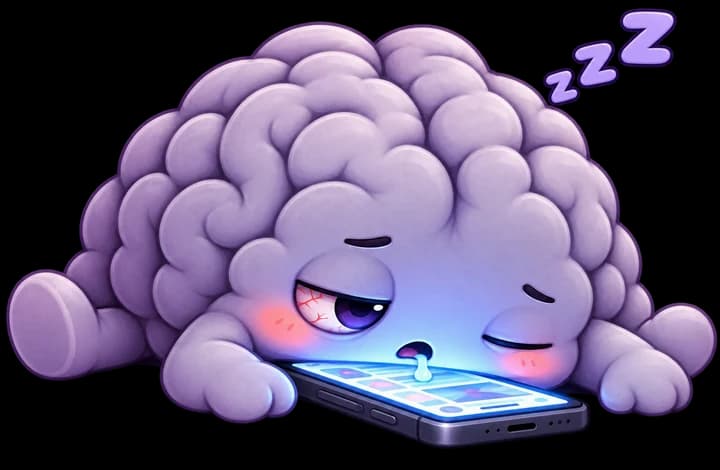
If a few of these sound familiar, you're in good company, and the steps below will help.
9 ways to stop doomscrolling
- 1
Set a swipe limit, not just a time limit
Time limits are easy to fudge because minutes fly by unnoticed in a feed. A number of swipes is concrete. Deciding on "40 Reels today" gives you a clear line, and you can feel yourself getting closer to it.
- 2
Make the limit hard to ignore
Most screen-time timers show a pop-up with an "ignore" button, and one tap puts you right back in the feed. The limit only works if stepping past it takes real effort, like a full-screen block that stays up for the rest of the day.
- 3
See every scroll as it happens
Doomscrolling thrives on losing track. A live counter breaks the trance: seeing "37 of 40" in the moment is far more effective than a weekly report telling you what already happened.
- 4
Turn off notifications from feed apps
Many scrolling sessions start with a notification that has nothing to do with video. Mute likes, suggestions and "you might have missed" alerts so the app only gets opened when you choose.
- 5
Move the apps off your home screen
Put Instagram, YouTube and TikTok in a folder on the last page, or open them only from search. A few extra seconds of friction is often enough to catch an automatic habit before it starts.
- 6
Keep your phone out of bed
Late-night scrolling is the hardest kind to stop because you are tired and your willpower is low. Charge your phone across the room and use a cheap alarm clock so the feed is not the last and first thing you see.
- 7
Replace the habit, don't just remove it
Scrolling usually fills a gap: boredom, a queue, a break from work. Decide in advance what goes in that gap instead, such as a short walk, a podcast, a book on your phone, or messaging a friend.
- 8
Make it a game and make it social
Streaks, levels and friendly competition are the same tools the feeds use to keep you hooked. Turn them around: earn points for the swipes you skip and see who in your friend group can go lowest this week.
- 9
Track progress over weeks, not days
You will have bad days. What matters is the trend. Look at your weekly totals and aim to lower them gradually, instead of quitting cold turkey and bouncing back.
How to block Reels, Shorts and TikTok on Android
Android's built-in Digital Wellbeing app timers are a reasonable start, but they have two big gaps for short-form video:
- They limit the whole app. You can't cap Reels without also locking yourself out of Instagram messages, or cap Shorts without losing regular YouTube.
- They count minutes, not swipes, and are easy to extend when the timer runs out.
MindPet was built to close those gaps. Here's how to set it up:
- Install MindPet from Google Play and choose which feeds to track: Instagram Reels, YouTube Shorts, TikTok, or all three.
- Set a daily swipe limit. Start near your current habit and lower it over time.
- Turn on MindPet in Android's Accessibility settings so it can count scroll events. It never reads what's on your screen.
- Scroll as usual. The live counter shows how close you are, and the Core Shield blocks the feed once you hit your limit.
- Keep your pet happy by staying under your limit, and challenge friends to focus battles.
A 7-day short-form detox plan
Going cold turkey usually backfires. This plan cuts back gradually so the change sticks.
Just count. Install a swipe counter and scroll as you normally would to find your real baseline.
Turn off notifications from every short-form video app and move them off your home screen.
Set a daily limit about 25% below your baseline, with a hard block when you reach it.
No scrolling in bed. Phone charges outside the bedroom tonight.
Pick one replacement habit for your most common scrolling moment and do it instead.
Invite a friend and compete for the lowest swipe count.
Compare your week to Day 1, then lower your limit again for next week.
Frequently asked questions
What is doomscrolling?+
Doomscrolling is scrolling through an endless feed long after it stops being useful or enjoyable. The term started with negative news, but today it most often describes getting stuck in short-form video feeds like Instagram Reels, YouTube Shorts and TikTok.
What does "brain rot" mean?+
"Brain rot" is slang for the foggy, low-attention feeling many people get after hours of rapid, low-effort content. It is not a medical diagnosis, but it captures a real frustration: heavy short-form scrolling can make it harder to focus on slower, deeper tasks.
How do I stop doomscrolling at night?+
Keep your phone out of reach of your bed, set a daily swipe limit that blocks the feed once you hit it, and have something else ready to do before sleep, like reading or a podcast with a sleep timer.
Can I block Instagram Reels without deleting Instagram?+
Instagram doesn't offer a switch to turn off Reels. On Android, an app like MindPet can count your swipes in the Reels feed specifically and block it when you reach your limit, while leaving the rest of Instagram, like messages, available.
Can I block YouTube Shorts but keep regular YouTube?+
Android's built-in app timers limit the whole YouTube app. MindPet tracks the Shorts feed separately, so you can put a cap on Shorts and still watch full-length videos.
Is MindPet free, and does it work on iPhone?+
MindPet is free to download on Android. It relies on Android's Accessibility Service to detect scrolls, which is why it isn't available on iPhone.

The short version:count your swipes, set a limit you can't skip past, and make staying under it rewarding. That's exactly what MindPet does for you.